
Build petitions, manage RFEs, and run every case from one workspace.
One workspace for attorneys and paralegals to collect the file, build the petition, review it, and prepare it for filing — without rebuilding the same facts in forms, folders, and email.
-
Capture client documents without re-keying the same information
OCR and Immigration Wizard move information from the file into the case. -
Find gaps before the case moves forward
Petition Analysis surfaces missing information and potential issues for attorney review. -
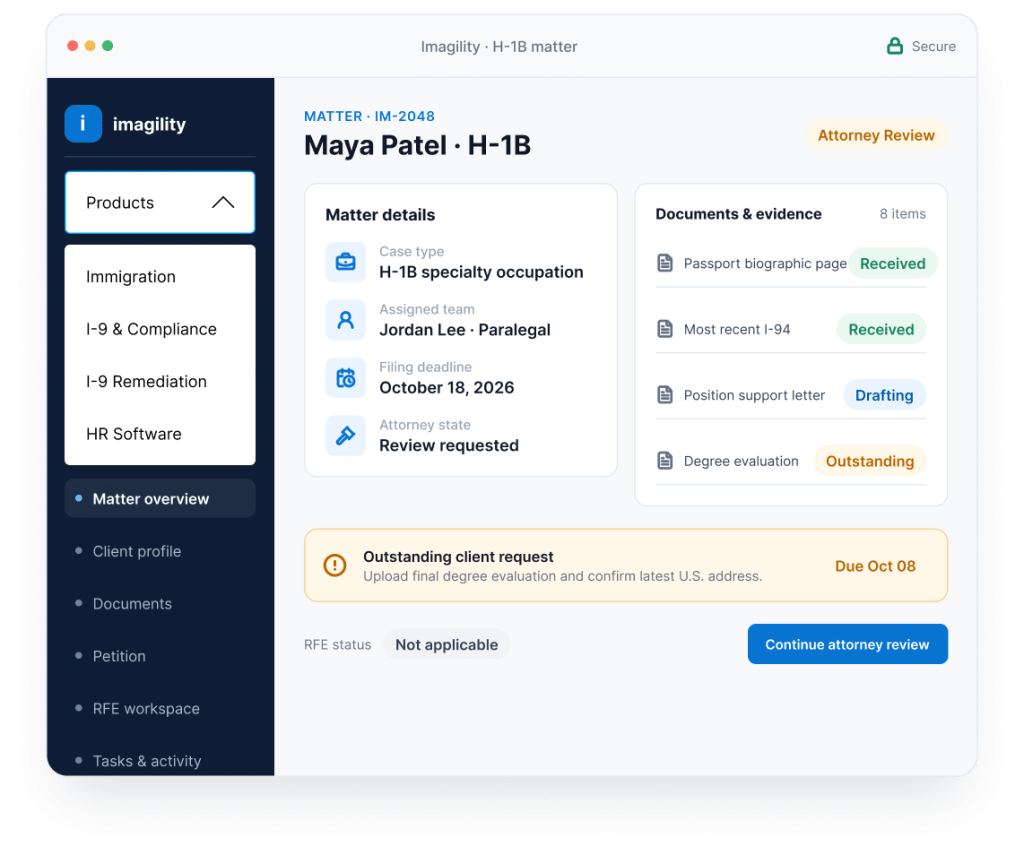
Keep clients, deadlines, documents, and RFEs connected to the matter
Reduce parallel email threads, folders, and tracking systems.
- Secure client collaboration
- Matter-centered document management
- Migration and onboarding support
- Integrated practice workflows
From client documents to a filing-ready case in three steps.
The same client and case information moves through the workflow instead of being entered again across forms, documents, folders, and email.
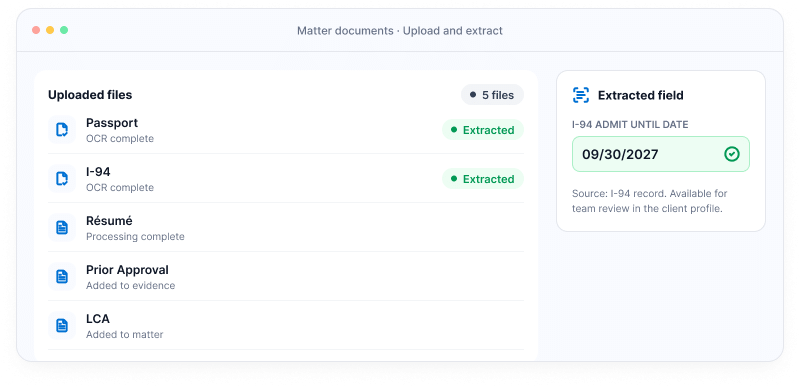
Capture the case once.
Upload passports, I-94s, résumés, prior approvals, LCAs, and supporting evidence. OCR turns documents into usable case information so the team can start from the file instead of blank forms.
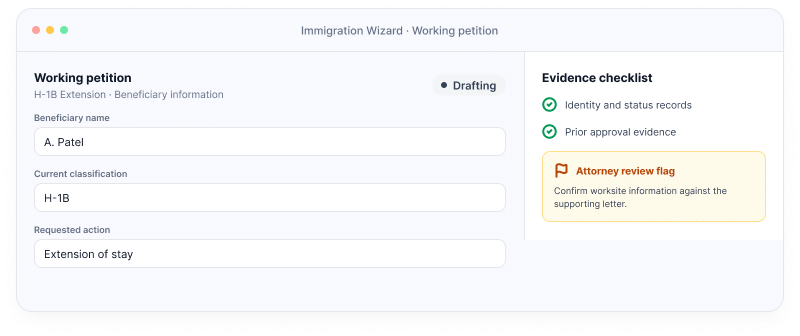
Let the Wizard build the working petition.
Use existing profile and case information to move through forms, supporting materials, and evidence requirements. Petition Analysis surfaces missing information and potential gaps for attorney review.
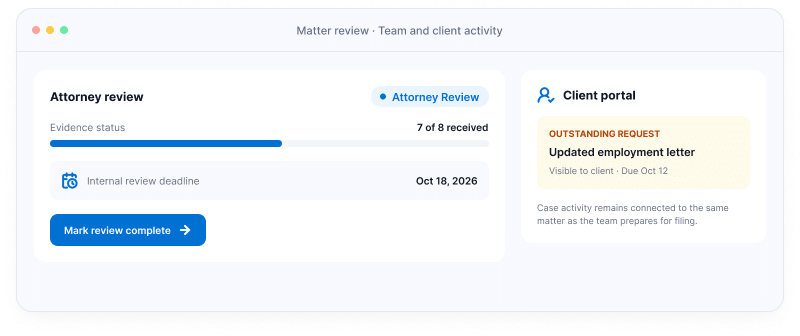
Review the case and keep everyone on the same matter.
Attorneys review the work, clients complete outstanding requests through the portal, and the team keeps documents, deadlines, RFEs, and case activity connected as the matter moves toward filing.
Everything the case needs. Connected.
Imagility brings the workflows attorneys and paralegals use throughout the matter into one immigration workspace.

Immigration Wizard
Build the working petition from client information and case documents without starting from blank forms.

Petition Analysis
Surface missing information, inconsistencies, and potential filing gaps for attorney review before the case moves forward.

RFE Workspace
Keep the response, supporting evidence, assignments, and deadline connected to the same case.

Client Portal
Collect documents, case updates, and client input in a secure workspace instead of another email chain.

Practice Management
Manage tasks, documents, deadlines, team activity, and supported billing workflows around the same immigration matter.
Built for the immigration work your firm actually handles.
Use one platform across supported employment, green card, family, humanitarian, and citizenship workflows.

Employment
Build and manage employment-based matters with connected case data, documents, petition workflows, and deadlines.

Employment-Based Green Cards
Keep immigrant-petition and adjustment workflows connected to the client and supporting evidence.

Family Immigration
Coordinate client information, documents, checklists, and case activity in one workspace.

Humanitarian
Support sensitive humanitarian matters with organized evidence collection, client documentation, and case tracking.

Naturalization & Citizenship
Manage citizenship information, documents, milestones, and client activity through a guided workflow.
Move your practice without rebuilding it.
Changing immigration software should not create another operational project. Show firms exactly what happens when they move to Imagility.
Bring your existing work with you.
Migration support helps move supported case data and documents into Imagility. Scope is confirmed during implementation.
Know the launch plan before you switch.
Your onboarding and migration plan is defined around case volume, source system, and data quality.
Keep the tools that still belong in your workflow.
Connect supported billing and payment tools as part of the implementation plan.
Get attorneys and paralegals working the same way.
Implementation support and training help the team adopt a shared case workflow.
Proof from the practice, not another promise.
A focused look at what a documented workflow improvement can mean inside an immigration practice.
60%
Reduction in time and errors in a high-volume law-firm workflow
CALIFORNIA IMMIGRATION FIRM
A California immigration firm handling high document volume reported a 60% reduction in time and errors using Imagility’s Bulk Upload and Immigration Wizard workflows. The result is specific to this case study and workflow.
“Imagility has a great support system… It makes our lives easier in dealing with cases and having instant access to information.”
Seth D. Miller, Esq.
Miller & Associates, P.C.
Approved attribution to be confirmed before launch
Questions immigration firms ask before switching.
Straight answers about workflow scope, implementation, client collaboration, and security documentation.
Is Imagility just another immigration forms tool?
No. Form preparation is one part of the workflow. Imagility connects document capture, petition preparation, attorney review, case analysis, RFE workflows, client collaboration, task management, and supported practice-management tools around the same immigration matter.
What types of immigration cases does Imagility support?
Imagility supports workflows across employment immigration, employment-based green cards, family immigration, humanitarian matters, and naturalization and citizenship.
Specific forms and workflows vary by case category. Link each category to the relevant coverage page rather than claiming support for every immigration matter.
How long does it take to go live or migrate from another system?
Implementation depends on your current system, case volume, documents, and migration requirements.
Before launch, replace this answer with a verified onboarding range and a separately defined migration range if those timelines differ.
Do clients use the same case workspace?
Clients can use Imagility’s client portal to provide requested information, upload documents, follow relevant case activity, and communicate through the supported collaboration workflow.
Attorneys and firm staff retain their own professional workspace and access controls.
VERIFY exact client-visible functionality.
How does Imagility protect sensitive immigration data?
- All data is stored on AWS servers
- AWS provides data encryption
- Imagility follows SOC II data security standards
Questions immigration firms ask before switching.
See how your attorneys and paralegals can move from client documents to a reviewed, organized immigration case in one connected workspace.
Questions? sales@imagility.co · 617-865-8444